

Key Takeaways
Why Automation Works Better Than Willpower
Saving money manually - reminding yourself each month to move funds - depends on consistency, motivation, and the absence of competing priorities. All three are unreliable. Automation removes the decision entirely: money moves before you touch it, before you see it sitting in your checking account, and before an unexpected expense or tempting purchase absorbs it.
Behavioral research consistently supports the idea that removing friction from a desired behavior - and adding friction to an undesired one - makes people far more likely to follow through. Automated savings is one of the clearest examples of this principle applied to personal finance. It's the same logic behind employer-sponsored retirement contributions: when money never hits your spending account, you adjust your lifestyle to what remains.
This approach also pairs naturally with small daily habits that grow savings quietly - automation handles the structural side while everyday choices handle the rest. And if you're just getting started, the full savings plan guide covers how automation fits into the bigger picture.
What you will need
Online Banking Portal or Mobile App
Used to set up, schedule, and manage recurring automatic transfers between accounts.
A Dedicated Savings Account
Holds your transferred savings separately from spending money, reducing the temptation to dip in.
A Simple Budget or Expense Estimate
Helps you determine a safe transfer amount that won't leave your checking account short.
Low-Balance Account Alert
A notification set through your bank to warn you before funds drop below a threshold you choose.
How to Set Up Your Automatic Transfers
The steps below walk you through the process from choosing an amount to reviewing your first month. Most people complete the setup in under 20 minutes. You don't need a financial background - just your bank login and a few minutes of focused attention.
Don't Automate More Than You Can Afford
Before scheduling a transfer, review your essential monthly expenses - rent, utilities, groceries, minimum debt payments. Only automate an amount that leaves enough in your checking account to cover those bills without triggering overdraft fees. Starting too aggressively can backfire and create more financial stress, not less. When in doubt, start smaller and increase the amount once you're comfortable.
Identify how much you can realistically transfer
Look at your last two or three pay periods and tally your non-negotiable monthly expenses: rent or mortgage, utilities, groceries, minimum debt payments, and transportation. Subtract that total from your monthly take-home pay. Whatever remains is your discretionary income - and a modest slice of that is your starting automation amount.
If the math feels tight, begin with a very small number. Even $10 or $25 per paycheck is a legitimate starting point. The goal right now is building the habit, not hitting a target figure. You can increase the amount after a month or two once you've confirmed it doesn't strain your spending.
Choose (or open) a dedicated savings account
Keeping savings in the same account as your spending money makes it too easy to absorb those funds into everyday purchases. Open a separate savings account - it doesn't need to be fancy or high-yield to start. The key feature is separation: money you can't immediately see in your checking balance is money you're far less likely to spend.
If you want to explore options, look at what your current bank offers, including whether they charge monthly maintenance fees on savings accounts and whether there are minimum balance requirements. This is general research - the right account depends on your own situation, so consider consulting your bank directly.
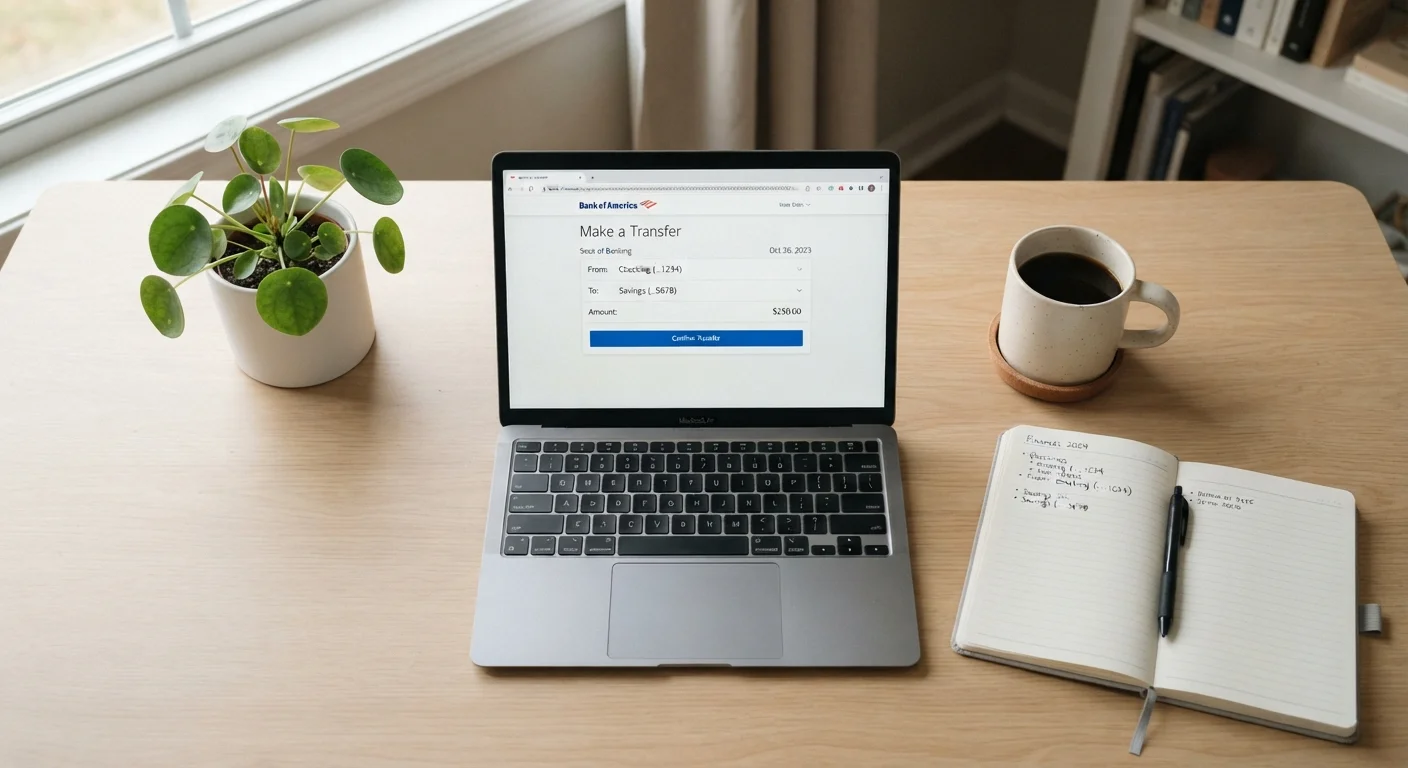
Log in and locate the recurring transfer feature
Open your bank's website or mobile app and navigate to the transfers section. The exact label varies by institution - look for terms like "Scheduled Transfer," "Automatic Transfer," or "Recurring Transfer." Most major banks and credit unions offer this at no charge as a standard account feature.
If you can't find it, use the help search within the app or call your bank's customer service line. Setting this up should take fewer than 10 minutes once you know where to look.
Set the transfer amount, date, and frequency
Enter the dollar amount you identified in Step 1. Then choose a transfer date that falls one to two days after your paycheck typically clears - this is the most important timing decision you'll make. Money that moves into savings right after payday is money you never mentally add to your spending budget.
For frequency, biweekly (every two weeks) works well if you're paid biweekly; monthly works for salaried employees paid once a month. Match the rhythm of your income so the transfer feels automatic rather than arbitrary.
Confirm the transfer and record it somewhere visible
After saving the scheduled transfer in your bank's system, you'll typically receive a confirmation email or on-screen summary. Take a screenshot or write down the transfer details - amount, date, and frequency - in a notebook or a notes app. This gives you a quick reference without having to log back in.
Note the transfer in any budget you maintain so it's treated as a fixed expense line item, similar to rent. That mental shift - savings as a bill you pay yourself - is one of the habits that consistent savers share.
Review and adjust after 30 days
After your first full month of automated saving, review how it went. Did your checking account stay comfortable? Did you feel any financial pinch? If it was easy, consider increasing the transfer amount by $10-$25. If it was tight, reduce it slightly - there's no shame in adjusting.
The objective is a transfer amount you can sustain month after month without stress. A small, consistent transfer outperforms a large transfer you end up canceling after a difficult week.
Watch Out for Overdraft Fees
If an automatic transfer pulls funds when your checking account is low, your bank may charge an overdraft fee - sometimes $25-$35 per incident. Set a calendar reminder to check your balance a day before each scheduled transfer, especially in months with irregular expenses. Consider setting up a low-balance alert through your bank's app to catch problems early.
Round-Up Features Can Accelerate Progress
Some banks and apps offer a round-up feature: every debit card purchase is rounded up to the nearest dollar, and the difference is deposited into savings automatically. On an average week of spending, this can add up to $10-$30 extra without any conscious effort. It's a low-friction complement to a fixed recurring transfer.
This article is for general informational and educational purposes only and does not constitute personalized financial advice. Your financial situation is unique. For guidance specific to your circumstances, consider speaking with a qualified financial professional.