

Key Takeaways
Our Verdict
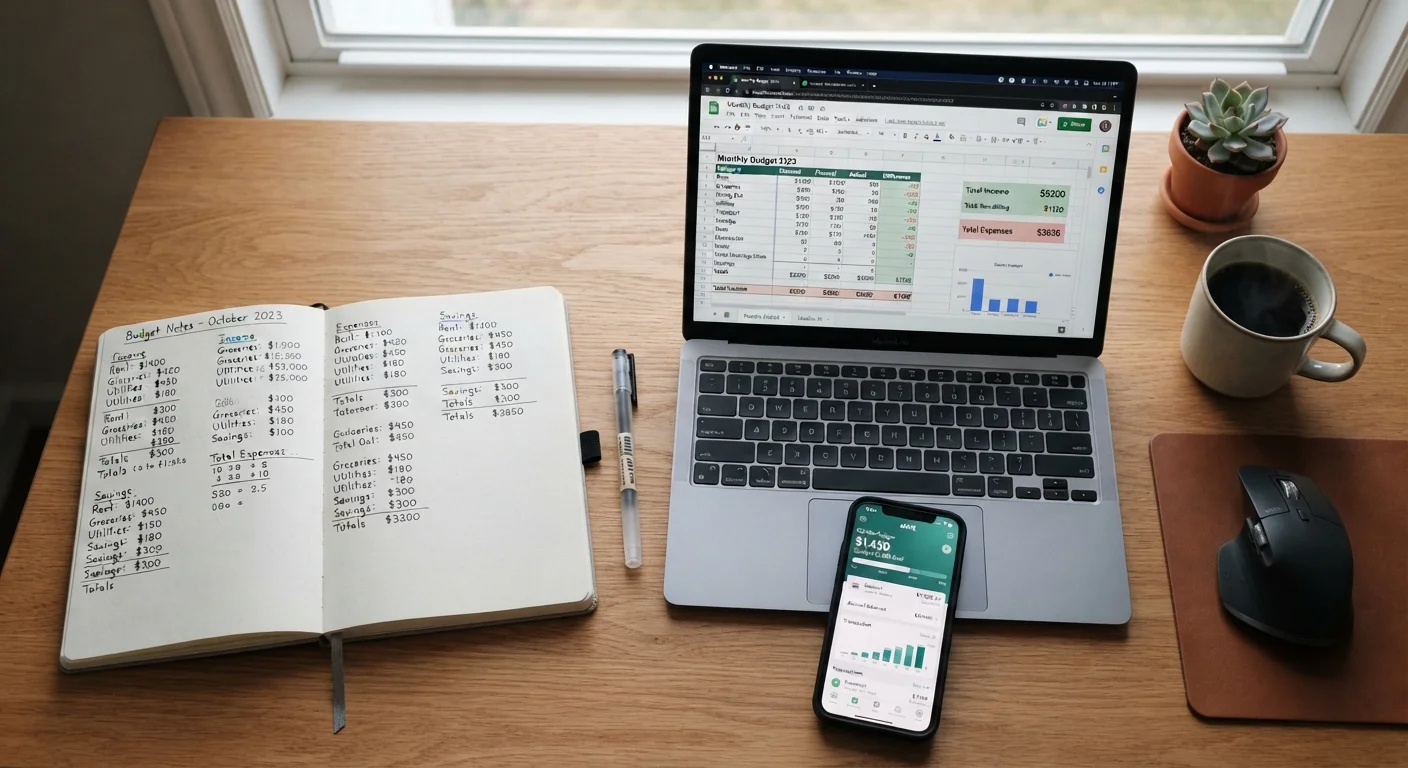
No single budgeting tool outperforms the others for every person. Paper suits tactile, low-tech learners; spreadsheets suit detail-oriented planners who want control; apps suit busy people who want automation. The method that produces results is the one you return to week after week.
| Best for | Recommended |
|---|---|
| Those who prefer a hands-on, distraction-free experience | Paper |
| Those who want full customization and already use computers regularly | Spreadsheet |
| Those with busy schedules who want automated transaction tracking | Budgeting App |
| Those unsure where to start building their first spending plan | Paper or Spreadsheet |
Why the Tool You Choose Matters More Than You Think
Most budgeting advice skips straight to categories and percentages - but before you can track a single dollar, you need a place to do it. Whether you write things down by hand, build a spreadsheet, or open an app will shape how often you actually look at your budget and how much you trust it.
This isn't about finding a perfect system. It's about finding your system. If you're just getting started, see our step-by-step guide to building your first budget for the broader picture. Here, we focus specifically on the trade-offs between three tracking tools so you can make a confident choice.
Try Before You Commit
Give any new budgeting tool a genuine two-week trial before deciding it isn't for you. Most friction in the first week is just unfamiliarity, not a sign the method is wrong. If it still feels like a burden after two weeks, that's useful feedback - switch and try another approach.
Paper: Simple, Tangible, and Surprisingly Effective
A notebook or printed template is the lowest-barrier way to start budgeting. There's nothing to download, no account to set up, and no learning curve. You simply write your income at the top, list your spending categories, and fill in numbers as you go.
What works well: Research on learning and memory suggests that writing by hand tends to reinforce information more than typing. For some people, that physical act of recording a purchase makes overspending feel more real - and more avoidable.
What's harder: Paper doesn't do any math for you, and if you lose the notebook, your records go with it. Reviewing trends across several months also takes more effort since you have to flip through pages rather than generate a chart. Paper budgeting pairs naturally with cash-based methods - learn more about those in our guide to cash-based budgeting approaches.
Spreadsheets: Flexible, Powerful, and Fully in Your Control
A spreadsheet - whether in a free tool like Google Sheets or a desktop program - sits between paper and apps. You still build and maintain it yourself, but formulas handle the arithmetic, and charts can turn months of data into a readable picture in seconds.
What works well: Spreadsheets are infinitely customizable. You can add columns, create subtotals, build a savings tracker alongside your spending log, and design everything to match exactly how your household works. Nothing about the layout is locked in.
What's harder: A blank spreadsheet can feel overwhelming if you've never built one. Even simple formulas take a short learning session. Templates available through many free services reduce the setup time, but you'll still need to enter transactions manually - which some people find tedious and eventually skip.
| Paper | Spreadsheet | Budgeting App | |
|---|---|---|---|
| Setup time | Minutes | 30-60 minutes | 10-20 minutes |
| Cost | Near zero | Free to low cost | Free to ~$10/month |
| Math & calculations | Manual | Automated via formulas | Fully automated |
| Transaction entry | Fully manual | Fully manual | Mostly automatic |
| Customization | Unlimited | Unlimited | Limited by app design |
| Privacy risk | None | Low | Moderate (account linking) |
| Best for | Visual, tactile learners | Detail-oriented planners | Busy, on-the-go budgeters |
Budgeting Apps: Automated, Accessible, and Always With You
Budgeting apps connect directly to your bank and credit card accounts, pulling in transactions automatically and sorting them into categories. The main appeal is speed: you open the app, your spending is already there, and you can see where you stand in under a minute.
What works well: Automation removes the biggest reason people abandon budgets - forgetting to log purchases. Many apps also send alerts when you approach a category limit, turning your phone into a gentle financial check-in.
What's harder: Linking financial accounts requires sharing your login credentials with a third-party service, which is a real privacy and security consideration worth thinking through. Apps also tend to miscategorize transactions (your gym might show up under "Entertainment"), requiring occasional manual corrections. Finally, some apps charge a monthly or annual fee once a free trial ends.
For practical tips on building the savings habit alongside whichever tool you pick, explore our saving money hub.
Read the Privacy Policy Before Connecting Accounts
Before linking your bank account to any budgeting app, review how that service stores and uses your data. Look for whether data is sold to third parties and what happens to your information if you cancel. If an app's privacy practices aren't clearly explained, that's worth weighing against its convenience.
How to Pick - and Stick With - Your Method
Ask yourself two honest questions before choosing: Where do I already spend my attention? and How long will I realistically keep this up? A sophisticated app you check once and abandon is less useful than a simple notebook you open every Sunday.
It's also fine to mix approaches. Many people use an app during the week for automatic tracking, then do a monthly review on paper or in a spreadsheet where they can think through bigger patterns. The goal isn't purity - it's awareness.
Once you've settled on a tool, the next challenge is making budgeting a regular habit rather than a one-off project. Our article on habits that make budgeting stick walks through practical routines that help beginners stay consistent. You might also explore zero-based budgeting vs. the envelope method to pair your chosen tool with a budgeting style that suits your spending habits.
This article provides general financial education and is not personalized financial advice. Consider speaking with a qualified financial professional about decisions specific to your situation.